Smart error alerts, custom ignore rules, and version filters shipped
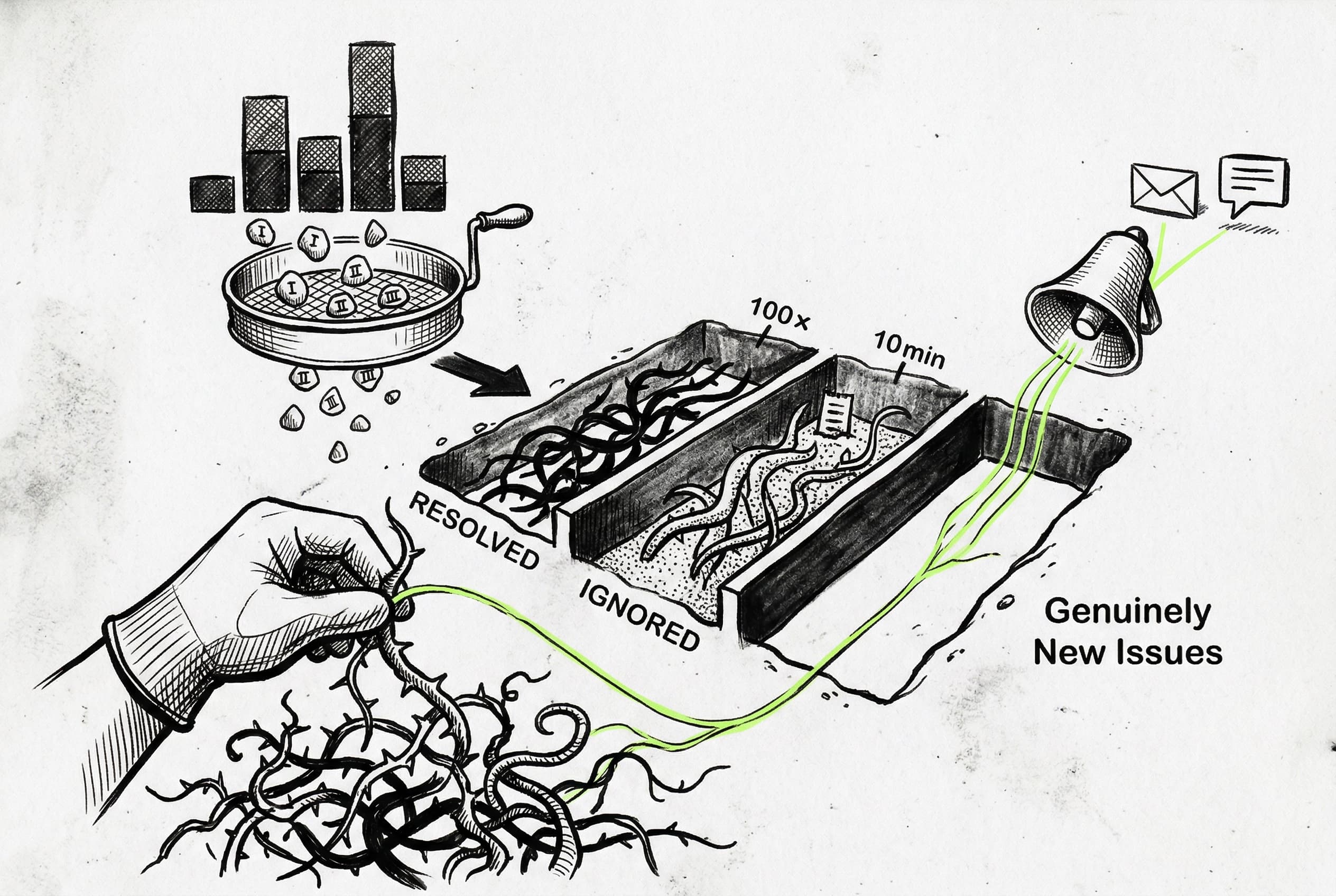
Developers can now filter errors by version, snooze them with custom thresholds, and configure smart alerts via Slack, email, or webhook to notify them only when new issues emerge or old ones regress.
Previously, managing high-volume errors required manually sifting through logs, making it difficult to track regressions or isolate faults to specific deployments.
Users can now filter the errors list by specific versions and see stacked bar charts showing exactly which release is throwing errors. Errors can also be managed with a proper status lifecycle. Developers can mark an error as Resolved, or Ignore it with specific conditions—like ignoring it until it happens 100 times, or unless the rate exceeds 10 errors per minute.
To make this actionable, a smart alerting system pipes notifications to Slack, email, or webhooks. The system only alerts when a genuinely new issue appears, a resolved issue regresses, or an ignored issue breaches its custom threshold. This reduces alert fatigue while ensuring critical regressions are caught immediately. These updates are visible throughout the errors dashboard and are powered by new ClickHouse aggregations and a background evaluation worker.
View Original GitHub DescriptionFact Check
- Added versions filtering on the Errors list and page
- Added errors stacked bars to the graph on the individual error page